Employee Schedule Management Software: 9 Buying Criteria
Compare employee schedule management software features managers need in 2026: shift planning, swaps, alerts, labor costs, and faster team coverage.
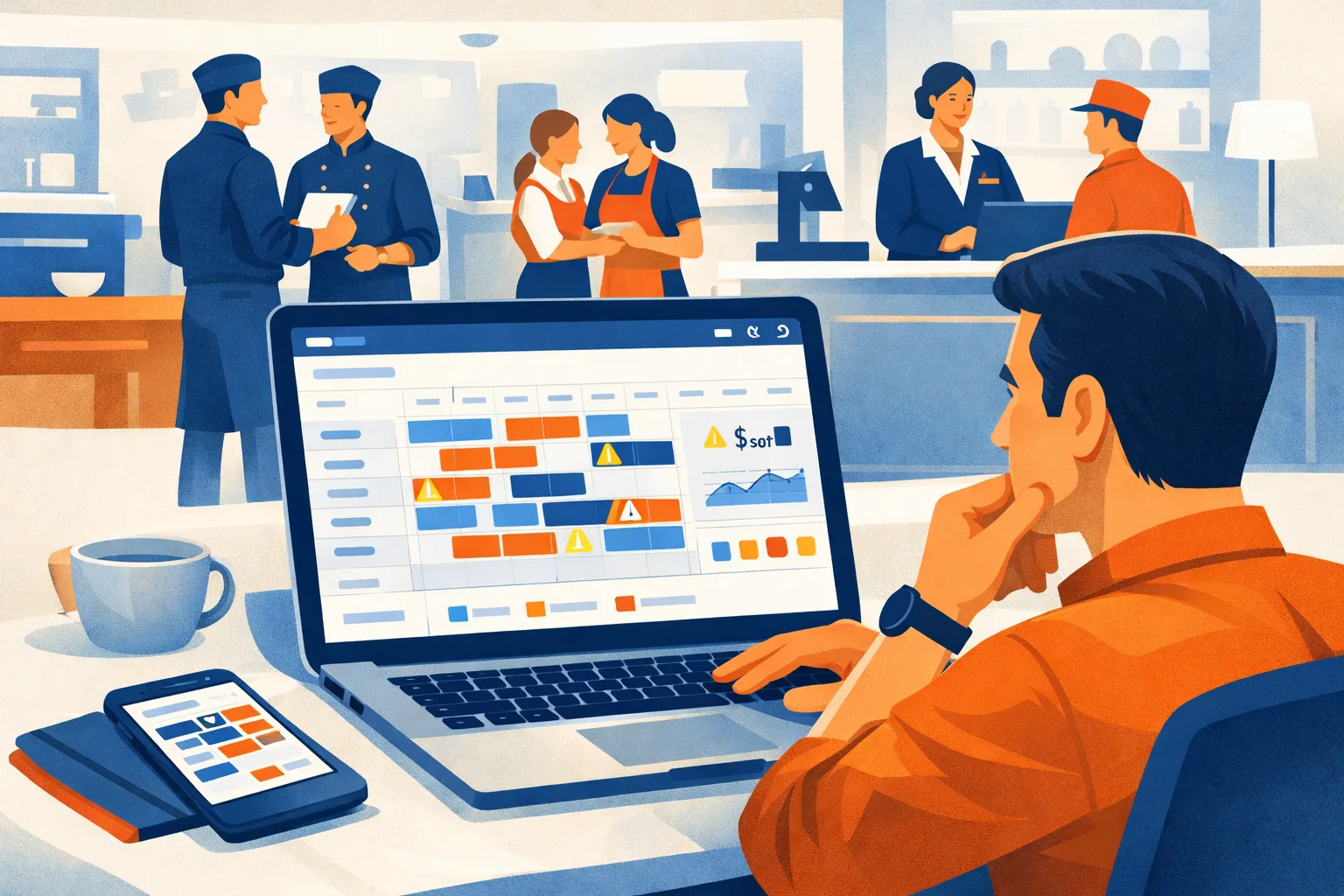
If your managers are still fixing the schedule by text thread, spreadsheet, or sticky note, the problem is not just “admin time.” It shows up as open shifts, avoidable overtime, missed breaks, late swaps, frustrated employees, and supervisors spending Sunday night rebuilding a schedule that should have been done Friday.
For multi-shift teams, the right employee schedule management software should do more than publish a rota. It should help managers prevent coverage gaps before they happen, control labor costs while demand changes, and keep schedule changes visible to the people who need them.
This guide is built for operations managers, general managers, HR teams, and owners comparing scheduling platforms for restaurants, retail stores, hotels, warehouses, healthcare support teams, and other hourly workforces.
We’ll cover what to look for, how leading tools compare, what to budget, and how to run a practical selection process without getting buried in demos.
What Employee Schedule Management Software Should Solve
Most scheduling tools claim to “save time.” That is not specific enough.
For shift-based operations, employee schedule management software should solve these real problems:
- Managers overstaffing slow periods because demand is hard to predict
- Open shifts sitting unfilled until the last minute
- Employees swapping shifts without manager approval
- Overtime creeping up because availability and hours are not visible
- New labor rules being missed when schedules change quickly
- Supervisors rebuilding schedules every week from scratch
- Employees claiming they “didn’t see” schedule changes
- Team leads using separate group chats, spreadsheets, and paper notes
If your team has one location, one shift pattern, and low turnover, a basic calendar may work. But once you have multiple departments, roles, locations, or shift types, you need stronger controls.
For more scheduling strategy, see ShiftSynch’s scheduling resources.
Quick Comparison: Employee Schedule Management Software for 2026
The table below compares common scheduling platforms from a buyer’s perspective. Features and pricing can change, so use this as a shortlist guide, then confirm current details directly with each provider.
| Software | Best Fit | Strengths | Watchouts | Typical Evaluation Time |
|---|---|---|---|---|
| ShiftSynch | Small to mid-sized teams needing rotation building, staffing requirements, and coverage visibility (no shift-swap workflow) | Practical scheduling workflows, team communication, manager control, simple adoption | Best evaluated with your actual shift patterns | 1–2 weeks |
| 7shifts | Restaurants and hospitality teams | Restaurant-specific scheduling, labor forecasting, POS integrations | May be more restaurant-focused than needed for general retail or warehouse teams | 2–3 weeks |
| When I Work | Small businesses and hourly teams | Easy schedule publishing, time clock options, mobile access | Advanced labor controls may depend on plan and setup | 1–3 weeks |
| Deputy | Retail, hospitality, healthcare, and multi-location teams | Scheduling, time tracking, compliance tools, integrations | Setup can take longer if rules are complex | 2–4 weeks |
| Homebase | Small businesses, restaurants, and retail | Simple scheduling, time clock, hiring tools | Best fit for simpler operations; advanced needs may require upgrades | 1–2 weeks |
| Sling | Cost-conscious teams needing shift scheduling and communication | Scheduling, messaging, task features | Payroll and labor controls may require careful review | 1–2 weeks |
| Connecteam | Deskless teams across field, retail, and operations | Mobile-first communication, scheduling, forms, tasks | Broad platform may require configuration discipline | 2–4 weeks |
| Humanity | Larger shift-based organizations | Robust scheduling, demand planning, compliance support | Can be more than a small team needs | 3–6 weeks |
| HotSchedules | Restaurants, hotels, and foodservice | Deep hospitality scheduling history, shift trading, forecasting | May feel heavy for smaller teams | 3–6 weeks |
How to Evaluate Scheduling Software Without Wasting a Month
A bad buying process leads to shelfware. Managers attend demos, HR compares feature grids, finance asks about cost, and nobody tests the tool against the actual Thursday dinner rush, Saturday retail peak, or overnight warehouse handoff.
Use this process instead.
Step 1: Map Your Real Scheduling Pain
Before booking demos, list your top scheduling problems by cost and frequency.
Use questions like:
- How many hours per week do managers spend building and editing schedules?
- How often do open shifts happen?
- Which shifts are hardest to cover?
- Where does overtime usually come from?
- How many schedule changes happen after publishing?
- Are labor rules different by location, age, role, or state?
- Are managers using unofficial tools like texts or personal spreadsheets?
Time estimate: 60–90 minutes with one operations lead, one scheduler, and one frontline manager.
For more labor planning guidance, see ShiftSynch’s workforce management articles.
Step 2: Define Must-Have Rules
Do not start with a feature wishlist. Start with rules the software must enforce or support.
Examples:
- No employee should be scheduled outside approved availability.
- Certain roles must always be present during specific shifts.
- Minors cannot be scheduled past legal limits.
- Employees approaching overtime should be flagged before publishing.
- Shift swaps require manager approval.
- Schedules must be visible on mobile.
- Managers need a fast way to fill call-outs.
If the software cannot support your operating rules, it will create more manual work.
Step 3: Test One Real Schedule
Ask each vendor to show how their tool handles one of your actual schedules.
Give them:
- A weekly schedule template
- A list of employees by role
- Availability restrictions
- A few time-off requests
- One last-minute call-out
- One overtime risk scenario
Then watch how many clicks it takes to solve common problems.
This is where tools separate themselves. A polished demo is not the same as a realistic scheduling workflow.
Step 4: Include the People Who Will Use It Daily
Operations leaders care about labor cost. HR cares about compliance. Payroll cares about clean exports. But shift managers care about how fast they can fix Tuesday at 4:00 p.m. when two people call out.
Include at least:
- One general manager
- One assistant manager or shift lead
- One payroll or HR contact
- One employee representative if possible
Time estimate: 2–3 demo sessions, 45–60 minutes each.
Step 5: Score Tools Against Outcomes
Rate each option against outcomes, not just features.
Use a 1–5 scale for:
- Reducing manual schedule edits
- Preventing coverage gaps
- Flagging overtime risk
- Managing availability
- Handling shift swaps
- Mobile employee adoption
- Payroll/time tracking fit
- Labor law support
- Multi-location management
- Ease of manager training
A tool with fewer features but higher manager adoption may outperform a complex platform that nobody uses correctly.
Key Features That Matter for Multi-Shift Teams
Multi-shift scheduling is different from office calendar planning. Your software needs to understand coverage, roles, labor cost, and fast changes.
Drag-and-Drop Schedule Building
Managers should be able to build schedules quickly using templates, open shifts, role filters, and employee availability.
Look for:
- Weekly and daily views
- Role or department filtering
- Shift templates
- Copy week functionality
- Warnings for conflicts
- Easy reassignment
A good drag-and-drop scheduler should reduce schedule creation time after setup. The biggest savings usually come from not rebuilding the same shift structure every week.
Availability and Time-Off Controls
Availability is where many manual schedules break down.
Employee schedule management software should let employees submit availability and time-off requests in a controlled process. Managers should see conflicts before they publish.
Look for:
- Recurring availability
- Temporary availability changes
- Manager approvals
- Time-off blackout periods
- Employee self-service
- Visibility into approved and pending requests
If your managers still keep availability in a notebook, your schedule will always be fragile.
Overtime Visibility Before Publishing
Overtime control should happen before payroll, not after.
The software should show:
- Scheduled hours by employee
- Overtime warnings
- Daily or weekly hour limits
- Role-based hour totals
- Multi-location hour visibility
- Alerts before schedule publishing
For teams operating across different states or municipalities, make sure the tool can support your pay rules and break requirements. You can also review ShiftSynch’s labor law resources for scheduling-related compliance topics.
Open Shift and Call-Out Management
Open shifts are unavoidable. The question is whether your process is controlled.
Strong scheduling tools let managers:
- Create open shifts
- Offer shifts to qualified employees
- Limit offers by role, location, or availability
- Approve or deny claims
- Notify employees instantly
- Track who accepted and when
For restaurants, hotels, and retail teams, this feature directly affects coverage during peak hours.
Shift Swaps With Manager Approval
Uncontrolled shift swapping creates payroll errors, overtime surprises, and role coverage gaps.
Your software should allow swaps while protecting the schedule.
Look for:
- Employee-initiated swap requests
- Eligibility checks
- Manager approval workflows
- Overtime conflict alerts
- Role or skill matching
- Audit history
A swap should not become official until it meets your rules.
Mobile Access for Employees
Hourly employees need schedule access on the device they actually use.
Mobile access should include:
- Published schedules
- Change notifications
- Time-off requests
- Availability updates
- Shift swap requests
- Open shift pickup
- Manager announcements
If employees still need to call the store to confirm their schedule, the software is not doing enough.
Team Communication Built Around Shifts
A general group chat is not enough for operations.
Look for communication tied to:
- Specific shifts
- Locations
- Departments
- Roles
- Schedule updates
- Call-outs
- Manager announcements
This reduces “I didn’t know” problems and keeps schedule-related communication in one place.
For more on managing shift teams, visit ShiftSynch’s team management category.
Labor Forecasting and Demand Planning
Not every business needs advanced forecasting. But if your demand changes by daypart, weather, bookings, foot traffic, or order volume, forecasting can help.
Useful forecasting inputs may include:
- Historical sales
- Reservations
- Guest counts
- Foot traffic
- Production volume
- Delivery order volume
- Events or holidays
- POS data
The goal is not a perfect forecast. The goal is a schedule that better matches expected demand.
For hospitality teams, ShiftSynch also has hospitality workforce resources.
Payroll and Time Clock Integration
Scheduling and payroll need to connect cleanly.
At minimum, review:
- Time clock availability
- Timesheet approval workflow
- Payroll export formats
- Integration with your payroll provider
- Job code or department tracking
- Break tracking
- Tip or service charge workflow if relevant
If payroll still requires heavy manual cleanup, the scheduling tool may only be solving half the problem.
9 Software Options to Consider
Below is a buyer-focused look at common employee schedule management software options for multi-shift teams.
1. ShiftSynch
ShiftSynch is built for managers who need practical scheduling, team visibility, and fewer last-minute manual fixes. It is a strong fit for small to mid-sized shift-based teams that want an easier way to build schedules, manage availability, communicate changes, and keep employees aligned.
Best fit:
- Restaurants
- Retail stores
- Hotels
- Warehouses
- Local service businesses
- Multi-shift hourly teams
What to evaluate:
- How quickly managers can build a weekly schedule
- Whether employees can easily view schedules and request changes
- How shift swaps and open shifts are controlled
- How well the platform reduces text-message scheduling
Why it works for operations managers:
ShiftSynch focuses on the daily scheduling problems managers actually face: who is available, who can cover, what changed, and whether the team saw the update.
2. 7shifts
7shifts is widely used in restaurants and foodservice operations. It is designed around restaurant labor management, with scheduling, time clock, communication, and integrations that can fit teams using restaurant POS systems.
Best fit:
- Restaurants
- Cafes
- Bars
- Multi-location foodservice groups
Strengths:
- Restaurant-focused scheduling workflows
- Labor cost visibility
- Team communication
- POS integration options
- Shift trading and availability management
Watchouts:
If you are not in foodservice, some restaurant-specific features may be less relevant. Confirm whether the platform fits your industry’s shift patterns before committing.
3. When I Work
When I Work is a popular option for small businesses and hourly teams that need straightforward scheduling and employee communication.
Best fit:
- Retail stores
- Cafes
- Small hospitality teams
- Service businesses
- Teams moving away from spreadsheets
Strengths:
- User-friendly schedule publishing
- Mobile access
- Employee availability and time-off tools
- Optional time clock features
- Fast adoption for simpler teams
Watchouts:
If you have complex compliance rules, multiple pay codes, or advanced forecasting needs, confirm the exact plan and configuration required.
4. Deputy
Deputy supports scheduling, time tracking, tasking, and workforce management across several industries. It can be a good fit for businesses that need more structure around compliance, time capture, and multi-location scheduling.
Best fit:
- Retail
- Hospitality
- Healthcare support teams
- Warehouses
- Multi-location operations
Strengths:
- Scheduling and time tracking in one platform
- Compliance-focused tools
- Labor cost visibility
- Mobile access
- Integration ecosystem
Watchouts:
More powerful systems usually require more setup discipline. Plan time to configure rules, roles, locations, and approvals correctly.
5. Homebase
Homebase is commonly used by small businesses that need scheduling, time clocks, hiring, and team management tools in one place.
Best fit:
- Small restaurants
- Independent retailers
- Local service businesses
- Teams with simpler scheduling needs
Strengths:
- Simple schedule creation
- Employee mobile app
- Time clock tools
- Hiring and onboarding features
- Accessible for small teams
Watchouts:
If your operation has complex rules across multiple locations or departments, review whether the plan you choose supports the level of control you need.
6. Sling
Sling provides scheduling, team communication, tasks, and time clock tools. It can be a practical choice for teams that need scheduling and messaging without a heavy enterprise platform.
Best fit:
- Small businesses
- Retail teams
- Restaurants
- Hospitality teams
- Cost-conscious operations
Strengths:
- Shift scheduling
- Internal messaging
- Task management
- Open shifts
- Time clock features
Watchouts:
Make sure reporting, payroll export, and labor control features meet your requirements, especially if you are trying to reduce overtime or manage multiple locations.
7. Connecteam
Connecteam is a broader deskless workforce platform that includes scheduling, communication, forms, checklists, tasks, and training tools.
Best fit:
- Deskless teams
- Field teams
- Retail operations
- Service businesses
- Companies needing more than scheduling
Strengths:
- Mobile-first employee experience
- Scheduling plus communication
- Operational forms and checklists
- Training and knowledge tools
- Useful for distributed teams
Watchouts:
Because it covers many use cases, you need a clear rollout plan. Otherwise, managers may adopt only part of the platform and keep using side channels.
8. Humanity
Humanity is designed for more complex shift scheduling and workforce planning. It can fit larger organizations that need demand-based scheduling, compliance support, and stronger operational controls.
Best fit:
- Larger hourly workforces
- Multi-location operations
- Healthcare support
- Hospitality groups
- Complex shift environments
Strengths:
- Advanced scheduling capabilities
- Demand planning
- Compliance support
- Employee self-service
- Multi-location visibility
Watchouts:
Smaller businesses may find it more robust than necessary. Implementation planning matters if you have many roles, locations, or schedule rules.
9. HotSchedules
HotSchedules has a long history in restaurant, hotel, and foodservice scheduling. It is often considered by teams that need hospitality-specific scheduling, labor forecasting, and shift communication.
Best fit:
- Restaurants
- Hotels
- Foodservice groups
- Hospitality operations
Strengths:
- Hospitality scheduling workflows
- Shift trading
- Forecasting and labor tools
- Employee communication
- Industry familiarity
Watchouts:
For smaller teams, confirm whether the system matches your budget, setup capacity, and manager training time.
Pricing: What to Budget Beyond the Subscription
Most scheduling software is priced per user, per location, or by plan tier. Pricing changes often, so confirm current rates directly with vendors. The subscription is only one part of the cost.
Common Cost Categories
Plan for:
- Monthly software subscription
- Setup or onboarding fees
- Time clock hardware if needed
- Payroll integration costs
- Manager training time
- Employee rollout time
- Data cleanup before launch
- Internal admin ownership
Practical Budgeting Example
For a 40-employee restaurant, store, or warehouse team, estimate the internal rollout cost like this:
- Manager evaluation: 4–8 hours
- Demo and vendor review: 3–5 hours
- Setup and configuration: 4–12 hours
- Employee invite and training: 1–3 hours
- First schedule migration: 2–4 hours
- First-week support: 2–5 hours
Total internal time estimate: 16–37 hours.
That time is still usually less than months of repeated manual scheduling problems, but you should budget for it up front.
Time Savings to Look For
Do not rely on vendor claims alone. Measure your own baseline.
Track before and after:
- Hours spent building the weekly schedule
- Number of edits after publishing
- Number of open shifts per week
- Overtime hours caused by scheduling decisions
- Payroll corrections related to scheduling
- Manager messages about schedule confusion
If the tool does not improve these numbers after a reasonable rollout period, either the setup is wrong or the tool is not a fit.
Compliance Questions to Ask Before Buying
Labor compliance depends on your location, industry, employee age, and pay rules. Software can help, but it does not replace legal guidance.
Ask each vendor:
- Can the system flag overtime before schedules are published?
- Can it handle different break rules by location?
- Can it restrict scheduling for minors?
- Can it track required rest periods between shifts?
- Can it support predictive scheduling rules where applicable?
- Can managers override warnings? If yes, is that logged?
- Does the system keep schedule change history?
- Can employees access schedule records?
- How are time-off approvals stored?
- Are schedule notifications documented?
For teams operating across cities or states, rule configuration is not optional. A schedule that looks fine operationally can still create compliance risk if breaks, overtime, or rest periods are missed.
Practical Checklist: Choosing Employee Schedule Management Software
Use this checklist before signing a contract.
Operations Fit
- Supports your shift types, roles, and locations
- Lets managers build schedules from templates
- Shows coverage by role or department
- Handles open shifts and call-outs
- Supports manager-approved shift swaps
- Works well on mobile for employees
- Allows quick schedule edits after publishing
Labor Cost Control
- Shows scheduled hours before publishing
- Flags overtime risks
- Tracks labor by department, role, or location
- Supports demand-based scheduling or forecasting if needed
- Helps avoid unnecessary duplicate coverage
- Makes understaffed shifts visible
Employee Self-Service
- Employees can submit availability
- Employees can request time off
- Employees can view schedules anytime
- Employees receive schedule change notifications
- Employees can request or accept swaps based on rules
- Employees do not need manager texts for routine updates
Compliance and Records
- Tracks schedule history
- Supports break and rest period rules
- Can flag minor labor restrictions if applicable
- Offers audit trails for changes
- Supports multiple labor rule sets if you operate in different locations
- Keeps approvals documented
Implementation
- Setup can be completed without a full IT project
- Managers can learn core workflows quickly
- Employees can onboard through mobile
- Payroll or time clock integrations are available if needed
- Vendor support is responsive during rollout
- Pricing matches team size and expected usage
Red Flags During a Demo
A scheduling tool can look good in a sales demo and still fail on the floor.
Watch for these red flags:
The Demo Uses a Perfectly Clean Schedule
Ask the vendor to handle messy situations:
- Two employees request the same day off
- A closer calls out two hours before shift start
- A swap would trigger overtime
- A minor is accidentally scheduled too late
- One location borrows an employee from another
- A manager edits a published schedule
If the demo avoids these scenarios, keep asking.
Employees Need Too Many Steps
If employees must log in repeatedly, navigate confusing menus, or contact a manager for basic requests, adoption will suffer.
Hourly teams need simple workflows:
- See schedule
- Request time off
- Update availability
- Pick up shift
- Swap shift
- Receive notification
Anything beyond that should be optional, not required for daily use.
Overtime Is Only Visible After the Fact
A report after payroll does not prevent overtime. You need warnings while building the schedule.
Ask to see overtime visibility during:
- Schedule creation
- Shift reassignment
- Open shift pickup
- Swap approval
- Multi-location scheduling
The Tool Requires Managers to Work Around It
If managers still need spreadsheets, group texts, or paper notes after implementation, the software is not replacing the old process.
A good platform should become the scheduling source of truth.
Implementation Plan: Roll Out Without Disrupting Operations
Switching scheduling tools does not need to be chaotic. Keep the rollout focused.
Week 1: Prepare
Tasks:
- Choose one launch owner
- Clean up employee list
- Confirm roles and departments
- Collect current availability
- Identify labor rules to configure
- Pick one pilot location or department
Estimated time: 4–10 internal hours.
Week 2: Configure
Tasks:
- Build schedule templates
- Add employees
- Add locations and roles
- Configure permissions
- Set approval rules
- Test open shifts and swaps
- Connect payroll or time clock if needed
Estimated time: 6–14 internal hours, depending on complexity.
Week 3: Pilot
Tasks:
- Build one live schedule
- Invite employees
- Train managers
- Run all schedule changes through the system
- Track issues daily
- Stop using side channels for schedule changes
Estimated time: 3–8 internal hours.
Week 4: Expand
Tasks:
- Fix pilot issues
- Add remaining departments or locations
- Create standard manager procedures
- Review overtime and coverage reports
- Set expectations for employee self-service
- Schedule a 30-day check-in
Estimated time: 4–12 internal hours.
Which Tool Is Right for Your Operation?
The right choice depends less on the longest feature list and more on your operating model.
Choose a Simpler Tool If…
- You have one or two locations
- Schedules are mostly consistent week to week
- You mainly need mobile schedule access
- Your biggest problem is communication
- Payroll rules are straightforward
- Managers need fast adoption
ShiftSynch, Homebase, When I Work, or Sling may be good options to evaluate.
Choose a More Advanced Tool If…
- You have many locations
- Labor rules vary by region
- Demand changes sharply by hour or daypart
- Forecasting is a major need
- You need deeper reporting
- You have complex payroll integrations
Deputy, Humanity, HotSchedules, 7shifts, or Connecteam may be worth reviewing depending on your industry.
Choose an Industry-Specific Tool If…
- You run restaurants and need POS-driven labor planning
- You manage hotels with department-specific shift coverage
- You schedule healthcare support teams with strict qualifications
- You operate warehouses with multiple crews and handoffs
Industry fit matters because generic calendars often miss the details that drive labor cost.
Questions to Ask References
Before committing, ask vendors for references or customer examples similar to your business.
Ask references:
- How long did implementation take?
- What was harder than expected?
- Did managers actually adopt it?
- Did employees use the mobile app?
- How did it change schedule edits?
- Did it help with overtime visibility?
- What do you still handle outside the platform?
- How responsive is support?
- Would you choose it again?
The best feedback usually comes from managers who use the tool every week, not only executives who approved the purchase.
Final Buying Advice for Operations Managers
A good employee schedule management software platform should make scheduling more predictable, not more complicated.
Prioritize tools that:
- Match your real shift patterns
- Reduce manual edits after publishing
- Make open shifts easier to fill
- Control shift swaps
- Show overtime risk early
- Give employees mobile self-service
- Keep schedule communication in one place
- Support your labor rules
- Are easy enough for busy managers to use
Do not buy based on a feature checklist alone. Buy based on how the software handles your hardest scheduling week.
If a tool can manage your messy schedule, last-minute call-outs, time-off conflicts, and overtime risks during a trial, it is much more likely to work in daily operations.
How ShiftSynch Helps
ShiftSynch helps shift-based teams build cleaner schedules, reduce back-and-forth edits, manage employee availability, and keep schedule communication in one place.
For restaurant managers, retail operators, hotel supervisors, warehouse leads, and small business owners, ShiftSynch is designed around the practical scheduling work that happens every week:
- Build and adjust employee schedules faster, from reusable rotation patterns
- Publish the schedule and email staff their shifts (paid plans; the free plan is build-only)
- Manage availability and time-off requests
- Set required headcount by shift and role, so gaps are visible before the week starts
- Reduce confusion around schedule changes — the manager reassigns and republishes
- Give managers a clearer view of coverage, answered by name by the built-in assistant
Note what is not on that list: ShiftSynch has no employee-initiated shift-swap workflow, no time clock, and no SMS or push notifications.
If you are comparing employee schedule management software for 2026, test ShiftSynch with one real schedule and see how it handles your actual coverage problems.
Start a trial at shiftsynch.com.
Ready to replace the spreadsheet and group text?
Build the rotation, publish shifts, and see qualified coverage in ShiftSynch.
Start free