Security Guard Scheduling Software: 24/7 Post Coverage Guide
Compare security guard scheduling software for guard companies and in-house teams. Flat-rate pricing, post coverage, license tracking—no per-seat fees.
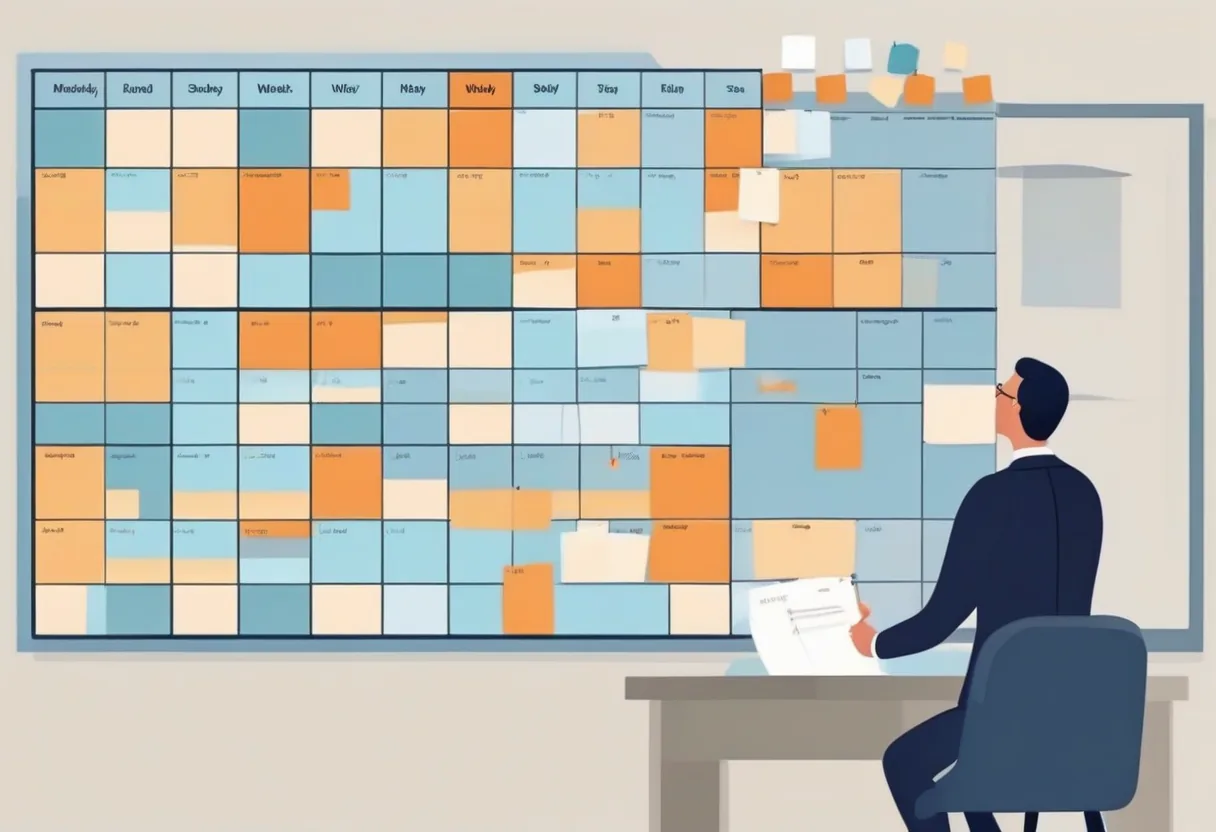
Security scheduling has one constraint that most workforce tools are not built around: the post must be filled, regardless of what is happening with individual guards. A retail manager can run short-staffed on a slow Tuesday. A security operations manager covering a hospital campus or a pharmaceutical distribution center at 2 AM cannot. The software you choose needs to treat post coverage as a hard requirement, not a suggestion.
This guide covers what security guard scheduling software needs to do, where the common platforms differ on the features that actually matter to security operations managers and guard company dispatchers, and why the per-seat pricing model common in this category quietly becomes the most expensive line item when your headcount fluctuates with contract volume.
What Makes Security Scheduling Different
Most general-purpose shift scheduling tools are designed for workplaces where coverage is desirable but flexible. Security is not that environment. The differences that drive tool requirements:
Post-based coverage, not headcount-based. You are not scheduling a number of people — you are filling a named post (main entrance, parking structure B, server room, lobby) on a specific shift. If the post is vacant, the client contract is at risk and, in some cases, so is the facility’s insurance coverage. Your scheduling software needs to model posts as the primary unit, not employees.
24/7 rotation creates fatigue and compliance risk. Rotating overnight shifts across a consistent team requires careful management of rest periods. Many states and some union contracts specify minimum off-time between shifts (commonly 8 or 10 hours). A tool that does not surface rest-conflict violations before the schedule is published will produce them repeatedly.
License and certification expiry is a hard stop. A guard whose state card has expired cannot legally work a post in most jurisdictions. Tracking expiry dates manually in a spreadsheet — or in a note field on a scheduling tool that does not understand what the date means — results in compliance events that are avoidable with the right system.
Contractor and client complexity. Guard companies managing multiple client sites often need to keep teams associated with specific sites, track which staff have client-specific clearances or background-check requirements, and produce site-level reports for client billing. An in-house security department has different needs: site and shift consistency, budget control, and HR integration.
Core Features to Evaluate
When comparing security guard scheduling platforms, focus on:
Coverage requirements at the post level. Can you define that Post A requires two armed guards and one unarmed guard on the overnight shift, and have the system warn you before the schedule is published if that requirement is not met? This is the feature that separates scheduling software built for security from general workforce tools.
Qualification and certification records. The system should store expiration dates, enforce them at the assignment level (not just display them), and flag upcoming expirations before they become a compliance problem. Look for whether the tool can track state-specific credentials (guard card, armed endorsement, chemical/OC spray certification) or only generic “training completed” flags.
Rotation pattern automation. Building a 24/7 rotation by hand every two weeks is error-prone and takes significant dispatcher time. A platform that lets you define the rotation logic once — three crews rotating through three shifts, or two crews on 12-hour rotations — and then generates the schedule from that template is materially faster and produces fewer errors.
Supervisor access controls. Guard companies often have site supervisors who should be able to manage their own post but not see staffing or rates for other clients. In-house security departments need tiered access between shift leads, ops managers, and the security director. Generic scheduling tools often have only “admin” and “employee” roles, which is insufficient for either model.
Mobile access for guards. Guards need to view their schedule and receive shift notifications on a phone, not through an intranet portal. This is table stakes in 2026, but verify that mobile access is real and functional, not a wrapper around a desktop-only product.
How ShiftSynch Handles Security Scheduling
ShiftSynch was designed for organizations that need coverage requirements enforced before a schedule is published, rather than discovered after. The workflow for a security operation looks like this:
Setup. You create teams (one per site or one per shift tier, depending on your structure), define the posts as your staffing requirements (what roles and how many are required per shift), add your guards as staff accounts, and record their qualifications — state guard card expiry, armed endorsement, site-specific clearances.
Rotation patterns. You define the rotation logic once: which crew covers which shift in which week. ShiftSynch’s rotation engine carries this forward automatically. For 12-hour coverage with two crews alternating, you set the pattern; the system populates the calendar.
Auto-generate and review. The Professional plan’s auto-generation produces a draft schedule from your rotations and coverage requirements. The dispatcher reviews it, fills any gaps flagged by the system, and publishes. Sara can answer coverage-gap questions by name: ask who is short on the overnight and she returns the current picture, excluding anyone with a rest conflict from the prior shift.
Publishing and notifications. When the schedule is published, staff receive their assignments by email. Changes after publication trigger notifications so guards are not caught off-guard by a last-minute reassignment.
Coverage reports. ShiftSynch can export a staffing report showing scheduled vs. required coverage by post and shift for any date range — useful for client reporting, internal audits, or demonstrating compliance in a post-incident review.
Platform Comparison
| Feature | ShiftSynch Professional | Deputy | When I Work | Sling |
|---|---|---|---|---|
| Pricing | $49/mo flat (50 staff) (pricing) | Lite $5 / Core $6.50 / Pro $9 per user/mo, $30/mo minimum (pricing; read 2026-09-04; re-verified 2026-09-12) | From $2.50/user/mo (pricing; read 2026-09-04; re-verified 2026-09-12) | Free (≤30 users) to $4/user/mo (Sling pricing; Free / $2 / $4 read 2026-09-12) |
| Post coverage requirements | Yes | Limited | No | No |
| Qualification/certification tracking | Yes (Professional) | Basic | No | No |
| Rotation pattern templates | Yes | Yes | Yes | Limited |
| Auto-schedule generation | Yes | Yes | Yes | No |
| 24/7 coverage-gap alerts | Yes | Partial | Partial | No |
| Mobile app | Yes | Yes | Yes | Yes |
| Free tier | Yes (1 team, 10 staff) | No | Limited trial | Yes (limited) |
The per-seat cost gap compounds quickly. At 40 guards on Deputy Lite ($5/user/month; Deputy pricing; read 2026-09-04; re-verified 2026-09-12), you are at $200/month versus ShiftSynch Professional at $49/month — a $1,812 annual difference that is not related to any difference in the scheduling problem you are solving.
Credential Compliance: The Hidden Scheduling Risk
The compliance failure mode in contract security is predictable: a supervisor is filling a last-minute vacancy at 11 PM, the person they call says yes, and the fact that their guard card expired three weeks ago is not surfaced until the client’s loss prevention team notices it on a site visit.
ShiftSynch’s qualifications system surfaces this at two points: first, when the supervisor is building the schedule (expired credentials are flagged on the eligible-to-fill list), and second, when Sara is answering a coverage question in real time. Neither is a guarantee — a supervisor can still override a flag — but moving the compliance check to before the assignment, rather than after the incident, is the meaningful change.
Upcoming expiration notices are equally important. A guard whose card is about to expire in 14 days is not a crisis today, but they will be one if the renewal does not happen and they remain on the schedule. Set a renewal-lead-time policy and have the system surface the list weekly.
Scheduling for Contract Security vs. In-House
The requirements differ enough to mention separately.
Contract security companies need multi-site separation (client A should not see client B’s staffing or rates), client-specific credential requirements (some clients require background-check clearances beyond the base guard card), and site-level billing reports. ShiftSynch’s team structure supports site-level separation; billing reports are a CSV export from the staffing data.
In-house security departments — corporate campuses, hospitals, universities, government facilities — typically have simpler multi-site structure (one employer, multiple posts) but more complex reporting requirements. They often export schedule and coverage data for their own timekeeping process. ShiftSynch’s Professional plan includes scheduling, qualifications, reporting, and API access; custom integrations are on the Enterprise plan.
For either model, the free trial is the right starting point. ShiftSynch’s 14-day trial on the Basic and Professional plans does not require a credit card, so you can build out your actual schedule structure before making a purchasing decision.
Getting Started
A security scheduling setup in ShiftSynch takes less than an hour for a single site:
- Create your organization and add your site as a team.
- Add staff accounts (each guard gets a login; you can send invite links directly from the platform).
- Define your qualifications (state guard card, armed endorsement, site clearances) and record expiry dates per guard.
- Set your shift structure and staffing requirements per shift.
- Build or import your rotation pattern.
- Run the auto-generator, review the draft, and publish.
Guards receive their schedules by email and can check assignments in the mobile app. On Basic and above, Sara answers coverage questions by name without requiring the dispatcher to scan the schedule by hand.
Frequently Asked Questions
- What is the best security guard scheduling software for a small guard company?
- For a small guard company (under 50 staff), the priorities are 24/7 post coverage requirements, license expiry tracking, and predictable costs. ShiftSynch's Professional plan ($49/month for up to 5 teams and 50 staff) gives you staffing requirements per post and per shift, qualification records to track guard cards and licenses, and flat-rate pricing that does not increase as you hire. Deputy and When I Work charge per employee per month, which makes costs unpredictable when headcount fluctuates with contract wins or losses.
- How do you schedule security guards for 24/7 coverage?
- The standard model for 24/7 post coverage is a rotating three- or four-crew pattern. A three-crew model (three 8-hour shifts) keeps every post filled with one crew per shift, with guards rotating through days, evenings, and overnights on a weekly or biweekly cycle. A four-crew model (twelve-hour shifts, two crews on, two crews off) reduces the number of handoffs per day but requires managing fatigue for overnight staff. On ShiftSynch Basic and above, you define the rotation pattern once, set your staffing requirements per shift, and let the auto-generator produce the schedule. Sara can identify coverage gaps before the schedule is published.
- Can security scheduling software track guard certifications and licenses?
- Yes. On ShiftSynch's Professional plan, the qualifications module lets you record each guard's state guard card, firearm permit, CPR/AED certification, and any site-specific clearances, with expiration dates. The system can exclude guards with expired credentials from eligible-to-fill lists when you are working a post that requires them. This prevents a supervisor from assigning an unqualified guard under time pressure, which is the most common compliance failure in contract security.
- What does security guard scheduling software cost?
- Deputy publishes Lite at $5, Core at $6.50, and Pro at $9 per user per month (USD, excl. tax), with a USD $30/month minimum ([Deputy pricing](https://www.deputy.com/pricing); starting Lite $5 read 2026-09-04; plan ladder re-verified 2026-09-12). At Lite, a 50-person team is $250/month; at Pro it is $450/month. ShiftSynch's Professional plan is $49/month flat regardless of headcount up to 50 staff ([pricing](https://shiftsynch.com/pricing.php)). For larger operations, the Enterprise plan at $99/month covers unlimited staff and teams. The meaningful cost comparison is not the per-month figure but the total cost when you account for overtime, temporary staff, and contract-peak headcounts — per-seat pricing penalizes growth; flat-rate pricing does not.
- Is there free security guard scheduling software?
- ShiftSynch's free tier supports one team and up to 10 guards, which is practical for a small patrol operation or an in-house security department running a single site with one shift pattern. For a guard company that needs to publish the schedule, the $9/month Basic plan adds publishing, auto-generation, exports, and Sara coverage answers. The $49/month Professional plan adds qualifications tracking plus up to 5 teams and 50 staff. Most dedicated security workforce platforms have no free tier and are quoted at $2,000–$10,000 per year.
Ready to replace the spreadsheet and group text?
Build the rotation, publish shifts, and see qualified coverage in ShiftSynch.
Start free